

Your group's money, transparent for everyone
Graduation committee, group gifts, a soccer team, a trip with friends, home or business: everyone sees the same goal, the same budget and the same entries — and you decide who can edit.
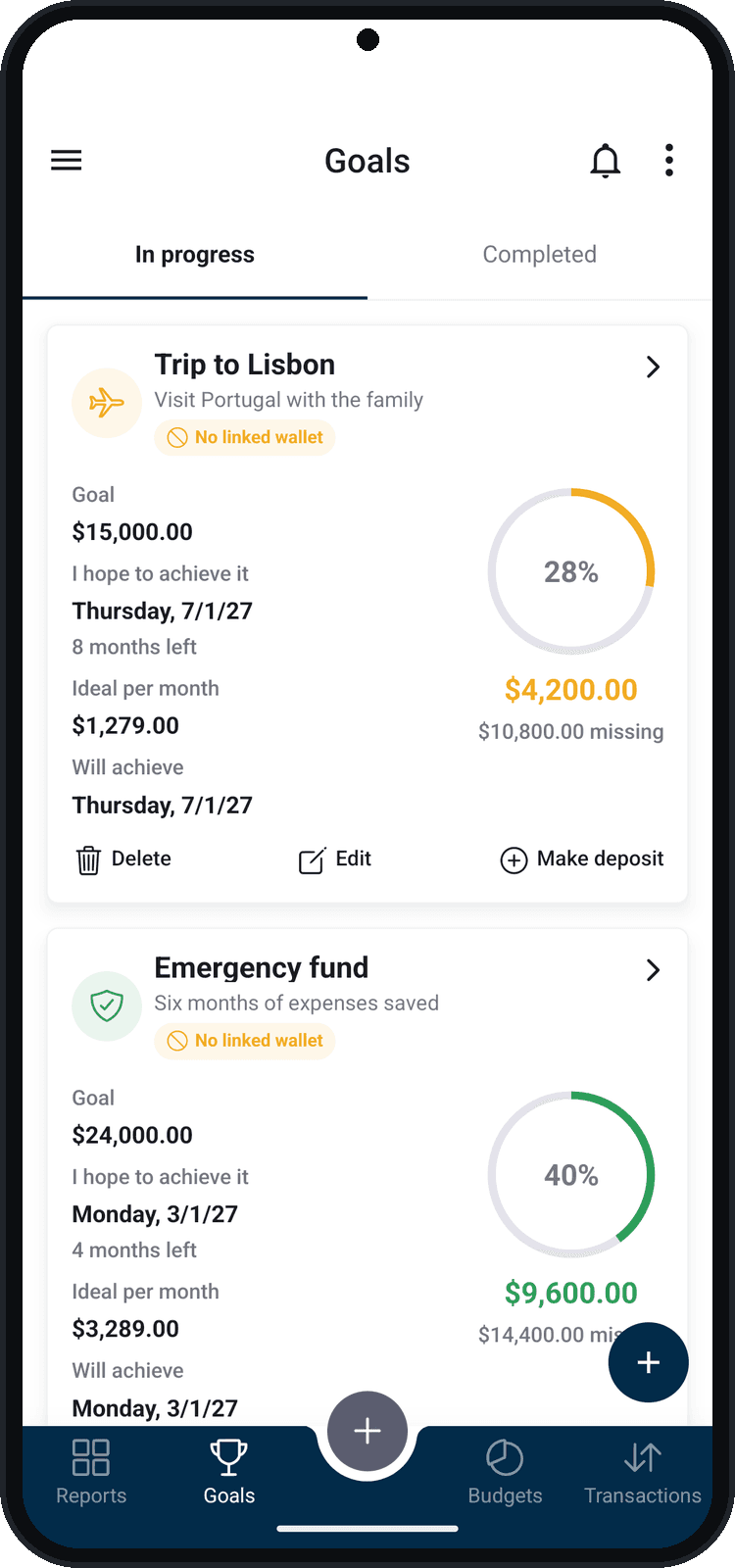
No more spreadsheets lost in the group chat
- “Who has paid already?” turns into a 200-message thread.
- One person's spreadsheet never matches another's screenshot.
- Only the treasurer knows the balance — and everyone has to trust them.
- Nobody knows how much is left to reach the goal, or by when.
How it works
- 1
Create the goal, budget or wallet
The group organizer, on Plus, creates what everyone will follow: the graduation goal, the event budget, the team wallet.
- 2
Invite people
Find each person by name or username and send a request. They accept and follow you back — they can be on the Free plan.
- 3
Choose who edits and who just views
For each member, pick “Can edit” or “View only”. Editing applies to Plus members; Free plan members follow along read-only.
- 4
Everyone follows along
Deposits, expenses and balances show up for every member. When the budget reaches the limit you chose, the whole group is notified.
For every group that pools or splits money
A few ways to use Balizar together:
Graduation committee
Raise the class money for the prom, the ceremony and the photos, with the goal and deadline in every graduate's view.
- Goal: $15,000 by November
- Monthly deposits recorded by the committee
- Budget for catering, decoration and photographer
Group gifts and family funds
A gift, helping someone out, the dream trip: every contribution recorded and the total always up to date.
- Goal: $600 for the gift
- How much came in and how much is left
- Everyone follows along without having to ask
Soccer teams and sports
Field rental, uniforms, referees and the after-game: the team's cash open to every player.
- Monthly field budget
- Team wallet with every monthly fee
- Goal for the new set of uniforms
Events and group trips
Barbecue, party, baby shower, a trip with friends: everyone's budget and expenses in one place.
- Budget by category: food, drinks and venue
- Expenses recorded by whoever paid
- A heads-up when the budget is running out
Couples and families
The household's money made clear: groceries, school, fixed bills and the family goals.
- Shared household wallet
- Grocery budget with a limit alert
- Emergency fund goal
Businesses, associations and teams
The team kitty, the year-end party, project expenses: transparency for partners, members and coworkers.
- Team kitty wallet
- Project budget by category
- Read access for those who just need to follow along
What you can share
Goals
The group's target, the deadline, the deposits and how much is left to get there.
Budgets
The spending limit, how much has been used and the alert when it reaches the percentage you chose. Every member's expenses in the budget categories count.
Wallets
The group's cash, with money in, money out and balance. The wallet's transactions show up for every member.
Built for trust
- You are in control: the organizer chooses who joins, who edits and who just follows along.
- Remove someone or change a member's permission at any time.
- Balizar does not move money: it records and shows. The money stays in the bank, in the payment app or with the treasurer.
- Each person sees only what was shared with them — the rest of your finances stays private.
Frequently asked questions
Does everyone in the group need Plus?
No. The group organizer needs Plus to share. The other members can be on the Free plan: they accept the invite, follow you back and follow everything read-only. Only those who edit (record expenses, make deposits) also need Plus.
How many people can join?
There is no member limit: share with as many people as your group has.
How do I invite someone?
In the app, under Followers, find the person by name or username and send the request. Once they accept and follow you back, they show up under “Share with” in your goals, budgets and wallets.
Does Balizar receive or hold the group's money?
No. Balizar is the transparent record of the group's money: it shows goals, expenses and balances, but it does not make payments or hold funds.
Can I change who edits later?
Yes. Whoever created the goal, budget or wallet can change each member's permission and add or remove people whenever they want.
What if I cancel Plus?
Nothing is deleted. What you shared becomes read-only for everyone until you subscribe again — or until you remove the members and make the item yours alone.
Organize your group's money
Download Balizar, create the group's goal or budget and invite people. Those who just follow along pay nothing.